Check a laundry sheet barcode on the finished retail pack, and confirm that it identifies the correct product in the retailer’s system. A barcode that scans once on a phone is not proof of consistent checkout performance. Barcode quality and the accuracy of the linked product record are separate approval tasks.

Start with the product identity
Confirm the intended identifier with the party responsible for assigning it. Match it to the exact fragrance, pack size and retail unit. Keep the case identifier separate from the consumer pack identifier where different identifiers are required. Do not copy a code from a similar product image merely to complete artwork.
The commercial team should agree which product data must reach the retailer and when. A technically readable symbol may still lead to the wrong description or an item that has not been set up for sale. Record who owns the master data and who confirms that the retailer has accepted it.
Why test the assembled pack?
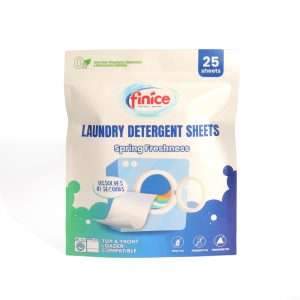
Printing, folds, seams and the final shape can affect the symbol presented to the scanner. Review the actual packaging configuration, including any outer sleeve or promotional label. A flat artwork proof does not show every issue that appears after assembly.
GS1 India’s barcode verification guidance identifies size, contrast, placement and quiet zones among the factors to assess. It also distinguishes a local scan from verification intended to assess print quality. Use the applicable GS1 specifications and your trading partner’s requirements rather than inventing a universal minimum size.
| Check | Evidence to request | Owner to identify |
|---|---|---|
| Identifier and variant | Approved SKU-to-code mapping | Brand or identifier owner |
| Printed symbol | Verification result for representative output | Printer or verification provider |
| Finished configuration | Sample showing seams, folds and overlays | Packaging supplier |
| Retailer record | Correct description and pack size in setup records | Retail account or data team |
| Changes after approval | Recheck after material print or layout changes | Project owner |
What if the code scans but the item is wrong?
Treat that as a product-data problem as well as a launch blocker. Compare the encoded identifier with the approved mapping, then check the retailer’s associated record. Do not alter the barcode artwork until the cause is understood. If a sample scans correctly in one environment but fails elsewhere, retain the sample and verification information for a focused review.
For general print text and panel placement, use the separate actual-size proof checklist. The barcode review adds a functional checkpoint before retail delivery.
Include barcode responsibility in the packaging brief
Explore Finice laundry sheets and request a quotation stating the intended retailer, pack configuration and barcode approval responsibilities. Ask for representative finished packs and agree which verification records are needed before production artwork is released.